
If you can’t find the answer to your question below or in the FAQs then please contact us at support@kubify.co
Key information
Presenting your e-poster stack (lightning talk)
Creating your e-poster stack
This video gives you a very quick introduction to Kubify’s Learning Toolbox and shows you how to make an ePoster stack. We recommend that you play this video in full screen.
Press the full-screen icon  at the end of the play bar to play in full-screen.
If your country does not allow access to the Vimeo video streaming service then you can access this video here instead.
This video is a longer introduction to Learning Toolbox which shows a fuller ePoster being created.
Press the full-screen icon at the end of the play bar to play in full-screen.
If your country does not allow access to the Vimeo video streaming service then you can also access the video here.
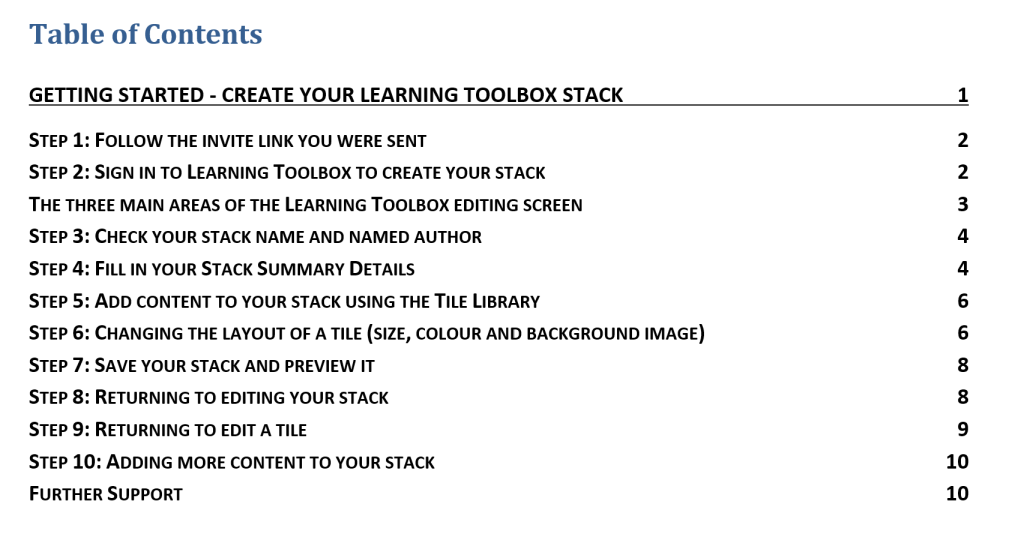
We know that some people prefer to follow a written guide, so we have produced this short guide that takes you through the key steps involved in making a simple ePoster/stack for a conference.
Explore some inspiring e-posters from GHGT-17
To help inspire your approach, we encourage you to view some great e-posters from the GHGT-17 showcase. These examples demonstrate creative ways to utilize the software and may provide valuable ideas for your own presentation:
- GHGT-17 E-Poster Example 1
- GHGT-17 E-Poster Example 2
- GHGT-17 E-Poster Example 3
- GHGT-17 E-Poster Example 4
Language: e-poster, lightning talk, stack
* Please note that WGC are using both the term e-poster / lightning talk to refer to one thing. The reason for the use of both terms is to emphasise that it is your choice whether to add a standard poster file, a presentation file or any other content to your stack to present at the conference. As you have been accepted to make an e-poster / lightning talk then you will use Kubify’s Learning Toolbox platform to create a stack and then add whatever content you want to include to present your work. Within these support pages we use the term e-poster stack or stack, to keep things concise, rather than writing out e-poster / lightning talk stack each time.
Frequently Asked Questions (FAQs)
You can find answers to more detailed questions on the FAQ page or by pressing the in-line help button (?) in the interface next to the item that you want to know more about.