
If you have forgotten the password for your Learning Toolbox account then you can follow these steps to reset it.
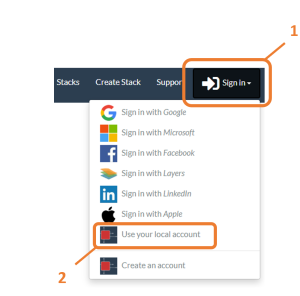
- Click on Sign-in
2. Choose Use your local account
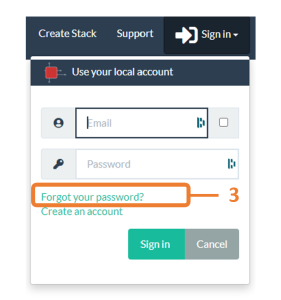
3. Click on the Forgot your password link
4. Enter your email address
5. Click on Reset my password
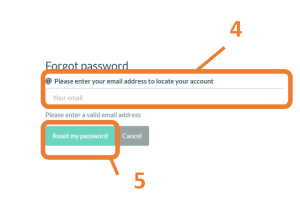
This will then send you an email containing a link that you can use to reset your password.
Category:
FAQ Account